Brain Controller
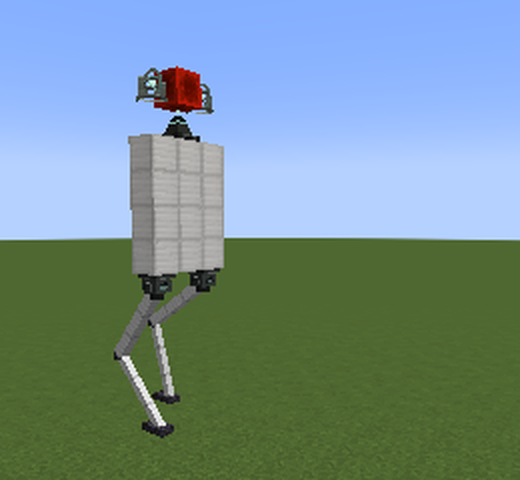
One leg of a walking machine. Place it where the leg should attach.
Place a Brain Controller on a machine where a leg should attach, facing the way the leg should reach. The machine grows a leg there: it finds solid footing, steps when the foot falls behind, and pushes the machine up to standing height. Add more for more legs. Breaking one removes its leg.
All the legs on a machine work together. They step in a balanced rhythm (diagonal pairs on four legs, tripods on six), share the weight, and keep the machine level on slopes and over steps. The block lights up while its leg is carrying weight.
Right-click to open its screen; each setting is a slider (drag it, or use the arrow keys). Leg length: Auto measures it from the ground the first time the machine runs, so it stands at the height you built it; or pick 1 to 64 blocks. Knees: 1 to 16 joints along the leg; more knees curl it more smoothly. Width at root and at tip (Auto or 1 to 64 pixels) shape the leg, thick at the hip and thin at the foot or the other way round. Width only changes the look, not how much the leg can carry. Foot: none, a cube, or a claw of two crossed bars.
Power (0.25x to 10x, default 1x) sets how much of the machine this leg may carry. 1x suits most machines, so you only need it for very heavy or lopsided builds. The screen's Load panel shows the share of the machine's mass the leg carries, the power it needs, and its status: OK, near its limit, or Overloaded with the power to set. Raise power only on the legs that say Overloaded, usually the ones under the heaviest part; a machine whose legs are all too weak sinks onto its hull.
The leg takes its look from the blocks around the controller: the block below dresses the segments, the block above the knees and foot. Any block works, glass and modded blocks included. With none, it's iron with polished blackstone joints.
Related pages
Something wrong on this page? Tell us.